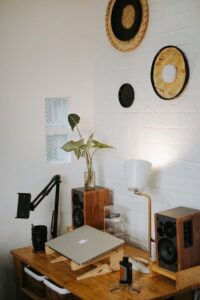
Tips for Creating a Relaxing and Productive Home Office Space

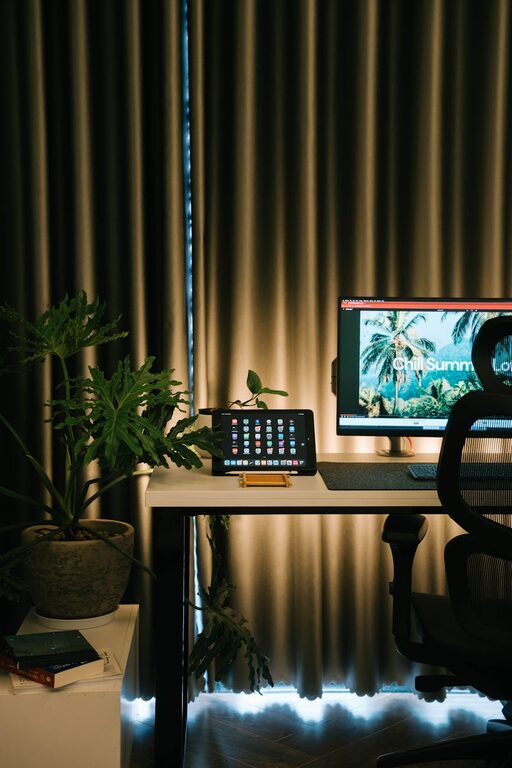
Creating a home office that is both relaxing and productive can significantly enhance your work-from-home experience. With more people working remotely, it’s essential to have a space that encourages focus while also allowing you to unwind. In this post, we’ll walk through practical tips for designing a home office that balances comfort and efficiency.
Choose the Right Location
Finding the perfect spot for your office is the first step. Ideally, select a quiet area with minimal distractions and enough natural light. If possible, use a separate room rather than a corner in a shared space — this helps create a clear boundary between work and leisure.
Consider Natural Light
Natural light improves mood and reduces eye strain. Position your desk near a window, but avoid glare on your computer screen. If natural light is limited, invest in full-spectrum lighting that mimics daylight.
Invest in Comfortable Furniture
Comfort is key to maintaining productivity over long hours. A good office chair with proper lumbar support helps prevent back pain. Pair this with a desk at the right height to avoid strain on your wrists and shoulders.
Ergonomics Matter
– Use an adjustable chair for customised comfort
– Keep your feet flat on the floor or a footrest
– Ensure your monitor is at eye level to maintain good posture
Keep Your Desk Organised
A cluttered desk can distract and stress you out. Use organisers, drawer dividers, or shelves to keep stationary and paperwork tidy. Develop a habit of clearing your desk at the end of each day to maintain a fresh workspace.
Minimalism Enhances Focus
Limit items on your desktop to essentials only. A clean space encourages clearer thinking and creativity.
Personalise Your Space Mindfully
Personal touches make your office inviting but avoid overcrowding. Photos, plants, or artwork can enhance the atmosphere without overwhelming the room.
Benefits of Plants
Indoor plants improve air quality and add a calming effect to your workspace. Low-maintenance options like succulents or spider plants work well indoors.
Control Noise and Distractions
Background noise can disrupt concentration. Use noise-cancelling headphones or white noise machines if you work in a noisy environment. Setting boundaries with family members or housemates also helps reduce interruptions.
Create Zones for Different Activities
If space allows, divide your office into zones. For example, one area for computer work, another for reading or brainstorming. This helps your brain associate different areas with specific tasks, boosting productivity.
Manage Cables and Technology
Tangled cables not only look messy but can also be frustrating. Use cable organisers or clips to keep wires neat and out of sight. Regularly update your technology and keep software organised to streamline your workflow.
Incorporate Regular Breaks
To maintain productivity, it’s important to take short, regular breaks. Use a timer or app to remind you to stand, stretch or walk. A comfortable chair and standing desk option can support these movements.
Set a Consistent Routine
Establish a start and finish time to separate work from home life. Keeping to regular hours helps maintain balance and makes it easier to switch off at the end of the day.
Optimise Lighting for Evening Work
If you work into the evening, use warm, soft lighting to reduce eye strain and create a relaxing atmosphere. Desk lamps with adjustable brightness are a good choice for focused tasks.
Final Thoughts
Designing a relaxing and productive home office is about balancing comfort with organisation. By paying attention to location, furniture, lighting, and keeping distractions to a minimum, you can create a space that supports your work and well-being. Tailor these tips to fit your personal style and needs, and enjoy a more enjoyable work-from-home experience.